

Here we will explain how to setup DBT core in Dev container, in the other post https://juliovaldiviamarin.com/dev-container-dbt-postgresql-metabase-part-1/ we see how to install DBT in vs code deb container, now inside in the dev container we will setup dbt core like: dbt project name, profile database(hostname, port, username, password,dbname, schema, threads)
dbt init
dbt init is a command to setup a new dbt project, for our example we have to go to the dev container of VS code, in the menu terminal click on New Terminal :
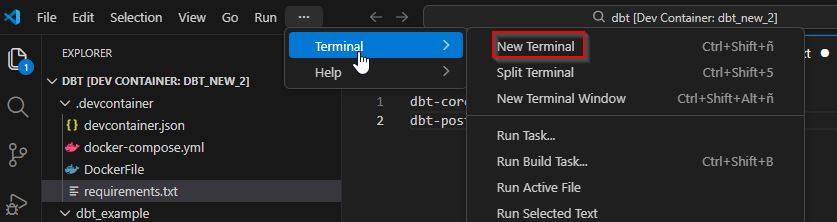
inside of the terminal write dbt init

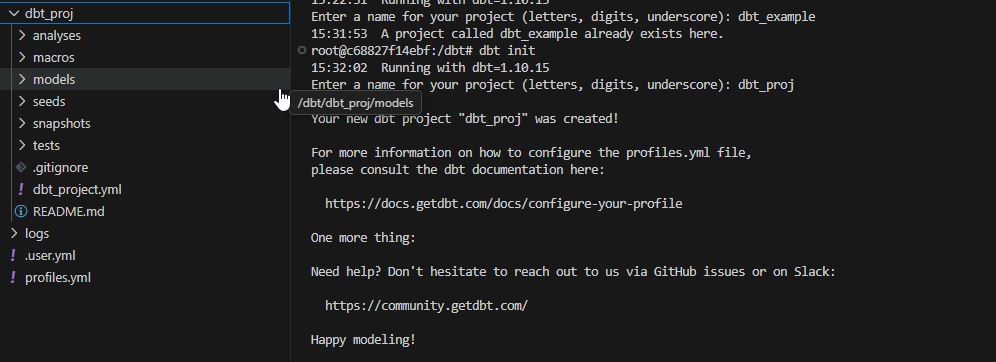
type the name of the dbt project : for example dbt_proj

the command create the folder structure on our folder
- analyses
- macros
- models
- seed
- snapshots
- test
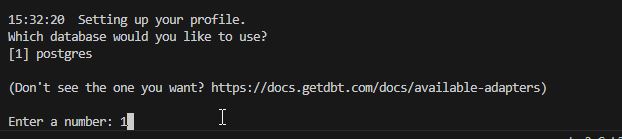
then we have to choose the database adapter in our case is PostgreSQL
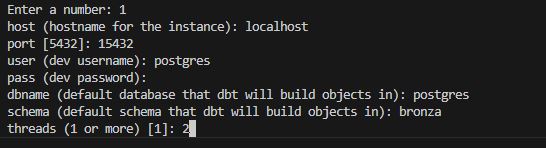
then we have to put the configuration of the database to connect:
- hostname
- port
- user
- password
- dbname
- schema
- threads
Next post we will see how to upload data from csv to postgresql
Links:
https://docs.getdbt.com/reference/commands/init
https://code.visualstudio.com/docs/devcontainers/create-dev-container
Leave a Reply
You must be logged in to post a comment.